
Since 2010, AdjustedCostBase.ca has been the trusted partner for Canadian investors. To celebrate our 16 Years of excellence, we aren’t just looking back—we’re looking forward. We are thrilled to introduce three powerful new features designed to make your tax season smoother than ever.
Improved Spreadsheet Import Functionality
(Available for AdjustedCostBase.ca Premium users)
New: One-Click Brokerage Templates
We’ve greatly simplified the process of importing transaction spreadsheets from your brokerage into AdjustedCostBase.ca! We now offer a library of settings templates to choose from. Easily select and load the pre-configured settings template for your brokerage:
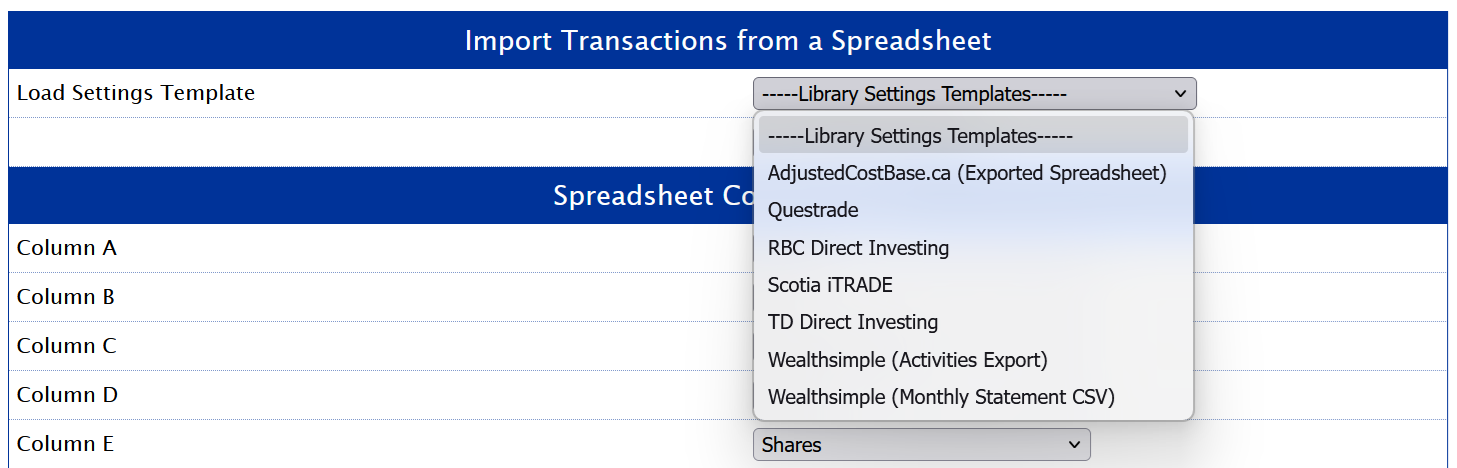
All you need to do is simply upload your unmodified transaction spreadsheet and confirm your transactions.
We have the settings templates for the following brokerages available:
- Questrade
- RBC Direct Investing
- Scotia iTRADE
- TD Direct Investing
- Wealthsimple
- …more coming soon!
Pro Tip: Don’t see your brokerage? Let us know and we’ll build a template for it. You can also save your own custom templates for a truly personalized experience.
Data formats provided by brokerages are as varied as they are messy. Our spreadsheet import functionality is powerful enough to handle a wide variety of formats to get your data imported cleanly into AdjustedCostBase.ca.
In addition, our duplicate transaction detection functionality has been improved. No need to worry about uploading overlapping datasets or accidentally uploading the same spreadsheet twice – duplicate transactions will be detected and excluded automatically.
Portfolio Duplication and Rollover
(Available for all AdjustedCostBase.ca users)
Whether you want to test a “what-if” strategy or transition to a new tax year, our new management tools give you total control.
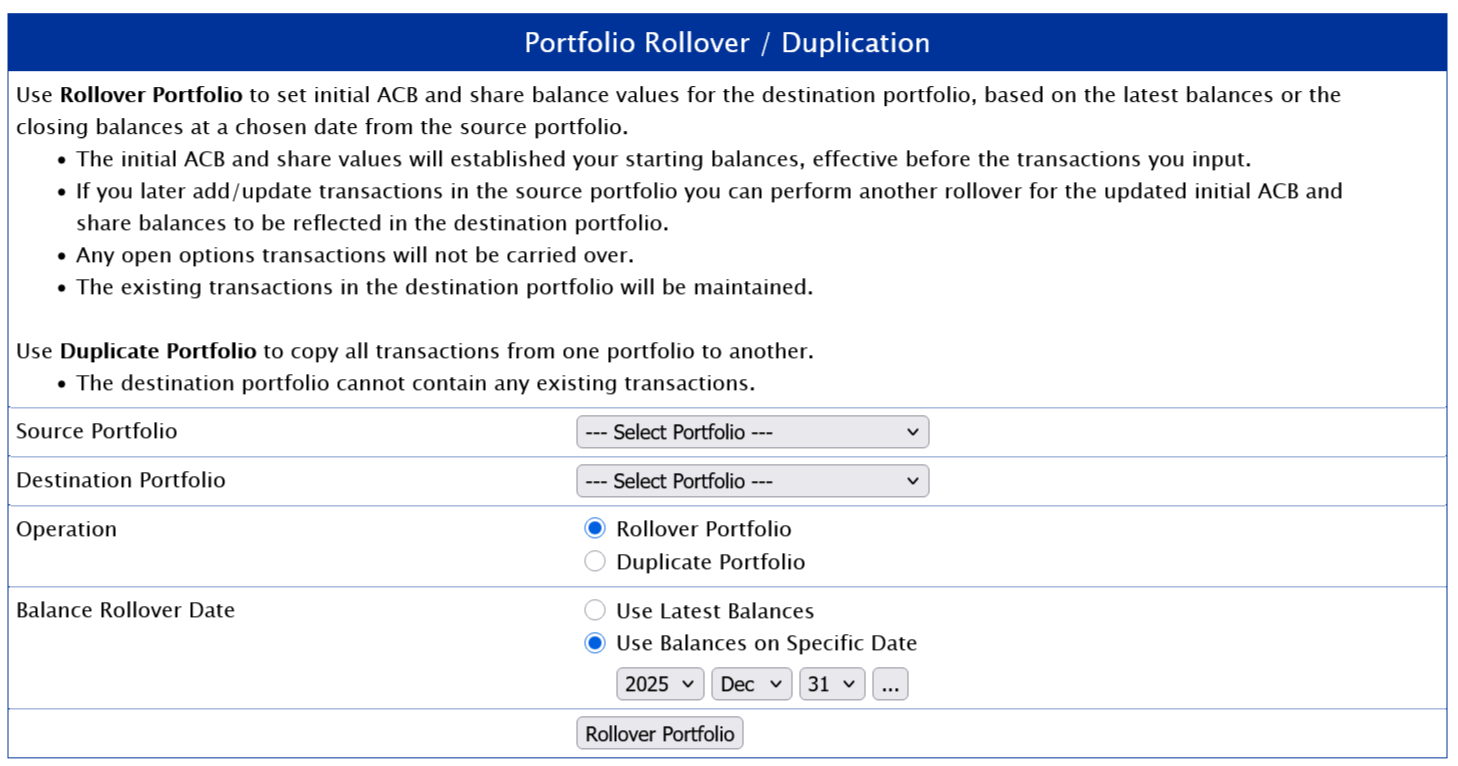
Our new Portfolio Rollover / Duplication functionality enables you to either carryover balances from one portfolio to another, or duplicate all of the transactions in a portfolio. This functionality can be accessed via the “Manage Portfolios” link (next to the drop-down portfolio selection field).
Rollover Portfolio
Carry over your ACB and share balances to a new portfolio without cluttering it with years of old transaction history. Perfect for starting a “Fresh Start” portfolio for 2026.
The Rollover Portfolio operation enables you to carry over existing ACB and share balances from one portfolio into another. You can choose either the latest ACB and share balances, or choose to carry forward the closing ACB and share balances from a particular date.
With this operation, no transactions will be copied from the source portfolio to the destination portfolio. Rather, the initial ACB and share balances will be applied as a starting point in the destination portfolio. The system will apply the initial ACB and share balances before processing your transactions.
The operation can be useful when you want to separate your transactions into a different portfolio after a certain point in time.
If you update the source portfolio after performing the Rollover Portfolio operation, the new ACB and share balances will not be automatically reflected in the destination portfolio (the state of the destination portfolio will remain the same). However, you can perform the Rollover Portfolio operation again at any point to carry forward the latest ACB and share balances.
Duplicate Portfolio
Create an exact 1:1 clone of your existing portfolio to test different tax scenarios without affecting your primary data.
This operation enables all transactions in the source portfolio to be copied into the destination portfolio. This results in the destination portfolio being identical to the source portfolio. This operation can only be performed if there aren’t any existing transactions in the destination portfolio.
Any subsequent changes you make to the source portfolio following the Duplicate Portfolio operation will not be reflected in the destination portfolio.
T3 Preview Tool
(Available for AdjustedCostBase.ca Premium users)
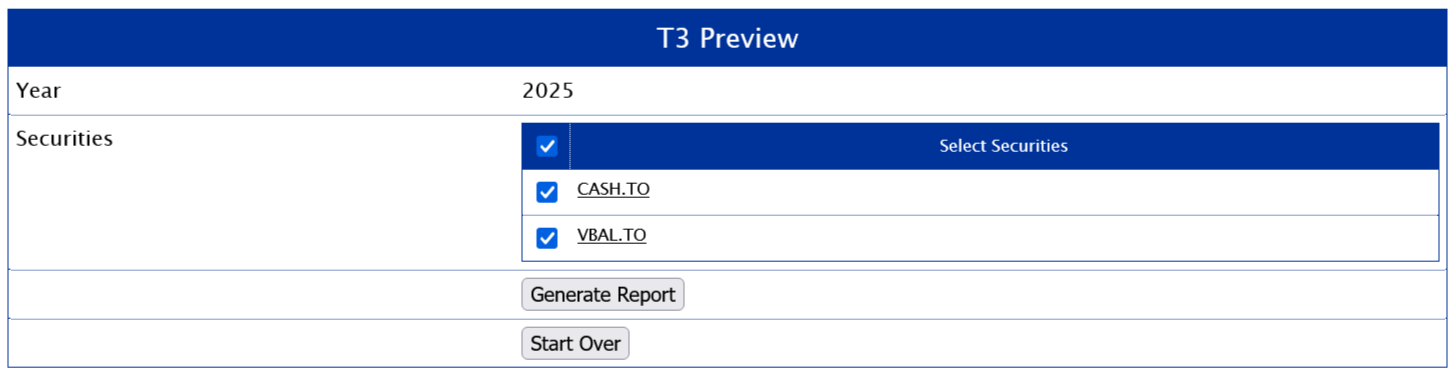
The T3 Preview tool can be found via the “Tools” link on the top blue menu bar.
Beat the March 31st Deadline
Waiting for official T3 slips from brokerages can feel like watching paint dry. While official slips often arrive at the very last minute, the underlying data for ETFs and Trusts is usually available 6–8 weeks earlier.
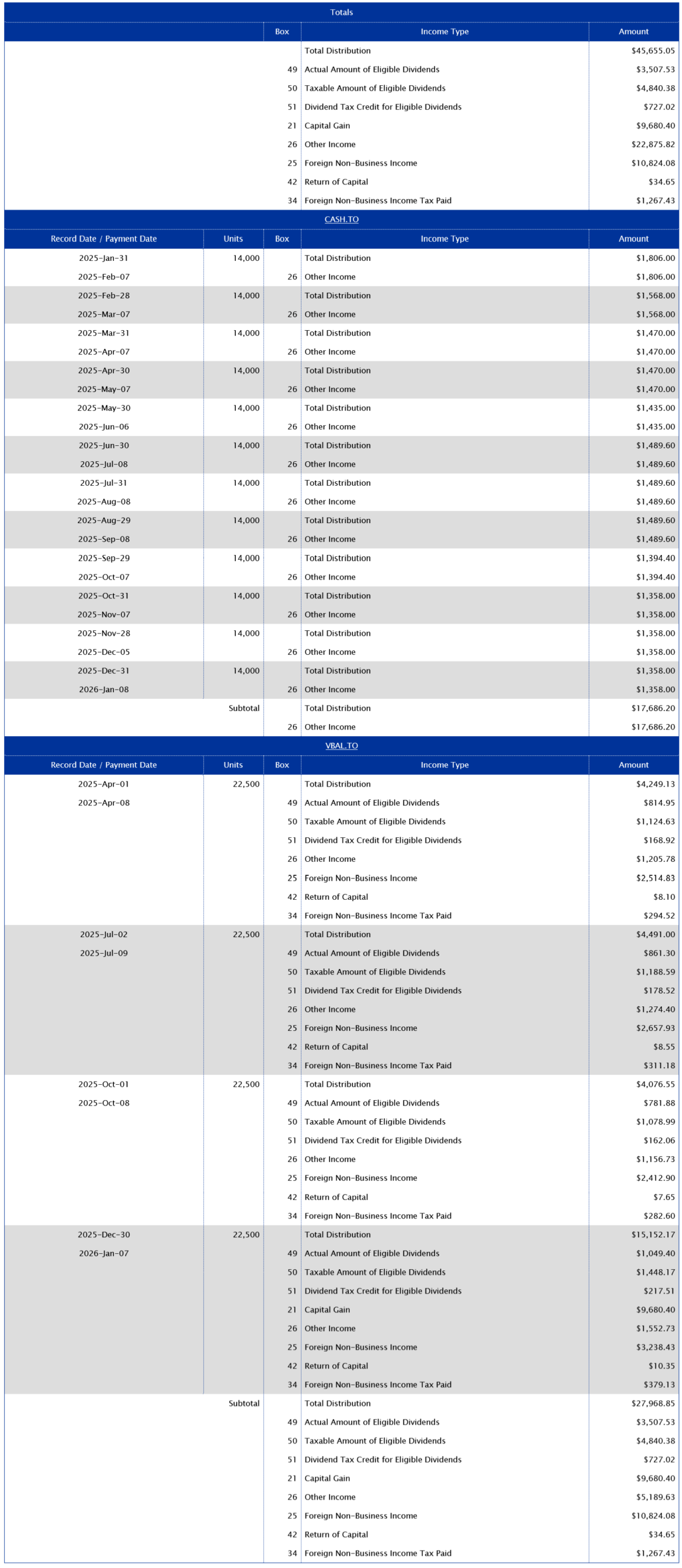
This tool enables you to preview your T3 tax data earlier in the tax season if you own any ETFs, income trusts or other funds structured as a publicly-traded trust.
With the T3 Preview Tool, you can:
-
Validate your data: Cross-reference your records against brokerage-reported numbers.
-
File early: If you’re expecting a refund, don’t wait for the mail—get your numbers ready in February.
-
Granular detail: See a full breakdown of Eligible Dividends, Capital Gains, and Foreign Income on a per-asset and per-distribution basis.
To use this tool you must first complete the following:
- Input all your purchase and sale transactions up until the end of the tax year
- Import your return of capital and phantom distribution transactions
You can choose which funds you would like to include in the report. You’ll only be able to include funds that had a positive share balance for at least one point in the tax year, and for which you’ve completed the process of importing return of capital and phantom distribution data.
Here is an example report:
We’ve spent 16 years making ACB tracking less of a headache. These new features are our way of saying thank you for being part of the AdjustedCostBase.ca community. Log in today to try them out!